"With Sonder all your settings are saved automatically to the cloud."
Just what we need. Computer peripherals slaved to some external cloud server. You have a computer right there, able to store stuff. Run programs, even. You don't want to be tied to some here-today, gone-tomorrow service. Also, how do you know it isn't sending your keystrokes somewhere?
An API would make more sense. Programs which change the meaning of keys as you change mode should be able to change the keyboard. Think Blender, with 10 pages of keyboard cheat sheet.
Also, it says "Pre-order. Available Q4 2016." Well, it's Q4 2016. Is it shipping?
How do they send power over "braided fiber"? Whatever that is.
As a hardware device, it may be perfectly reasonable. Ship the product, get some popular programs with too many function keys to talk to it, get the price below $100, lose the ego trip over how cool you are, and dump the "cloud" thing.
Great feedback Animats, the cloud is something mostly editors had requested where they move from studio to studio, it's an option to simply download the their specific work flow to that terminal; it's optional; it's just a stored profile a user can elect to download to the keyboards flash. It's not like an IoT product logging keys; instead we have an API on the client which communicates with stored mappings on flash.
In regards to the fibre cabre, that's PR speak for a non cheap cable. Thanks again for the feedback; it's great to hear from other engineers etc.
Is there any chance you could bring price down to $99 to $120 range?
Get it manufactured in China, Do some business investment magic, economy of scale things. I dont know :D It is really cool keyboard, but price is above of what most people are willing to pay for a keyboard.
By the way, another use-case is using it with games with complex controls like Elite Dangerous, Star Citizen, Kerbal Space Program.
Your comment seems too hand-wavy for the parent commenter to take seriously.
First, they're partnered with Foxconn so it's very likely they're made in China.
Second, you can't just "do economies of scale" without a slightly pricier v1 of the product; hey're not going to be selling hundreds of thousands of them.
Third, many are more than willing to to pay over that amount for keyboard.
Just take a look at custom mechanical keyboards (Ergodox, Poker 3, k95 if you're looking at more mainstream ones) if you want a glimpse at the high-end keyboard market. I'm guessing that the "patented crisp, responsive key mechanism" are not mechanical switches, but people do (as do I) pay well over that for keyboards they're interested in.
The MOQ is 300k units; we're at economies of scale but it's still a new technology. You're right on the made in China, Suzhou, Shenzhen etc. Bingo also on the third point.
You already can't use your Razor mouse(not to the fullest, anyway) without signing in with your Razor account. And recently, Nvidia started requiring that you create an Nvidia account to use their GeForce Experience application. Super annoying.
I thought I'd had to sign up for some kind of account to upgrade my graphics drivers a couple of weeks back but I'd convinced myself it was just a bad dream... Agreed it is indeed annoying - not to mention that the GeForce Experience "optimal" settings nearly always seem to be far from optimal on my hardware.
Yeah, I downloaded it to get "optimal" settings to play Titanfall 2 on my GTX750Ti, and GeForce Experience just told me that my GPU doesn't match the minimum requirements and it can't help me. So I ran the game, it selected default settings for me(mixture of low and medium) and it runs perfectly fine, at 60fps. Really great help GF Experience there, really fine.
Yeah, I went ahead and installed the driver manually (sans GeForce Experience). I can always update manually when needed (if/when a new game is wonky).
Screw having to create unnecessary accounts (or signing into services I don't absolutely need).
I wish that "cloud", for many applications, would mean "You can tell us where to save the file and if it happens to be your Dropbox folder it will do the expected thing."
The syncing random data across computers thing is a solved problem. There are different solutions that meet different needs - some people may have their data stored on a company file server, some like to use Dropbox, some are happy with iCloud Drive, some use OwnCloud or Box.net or any number of other things.
Instead of developing cloud services to sync stuff, manufacturers should just let you pick where to save the settings and let some other sync mechanism do the job.
I thought there was a relevant xkcd for this but I can't find it. Something about too many cloud services or something. Basically like "we'll save it to the cloud!" then someone going "which one?!
I think braided fiber means that the usb cable has one of those nice cloth cable covers that come on nice headphones, instead of just a plain plastic casing.
Hilarious. New tech with pun marketing. Precious. I think I enjoyed the pun more than the product. I agree that not every thing needs a cloud behind it. Why couldn't it just store the bits to it self? Shock! Then I wouldn't have to spent ten or twenty extra minutes making sure it could connect to some damn server to update itself or change a simple function. Pass. Cool concept.
It's also stored on the on board flash, the cloud is an option to download a user profile stored online to a new keyboard. It's an optional feature that editors expect, if we didn't include it we wouldn't be addressing a key market want from a different demographic.
An interesting idea, but I just don't look at my keyboards. Even so, I can't help feeling this is a much better approach than replacing F-keys with the Mac Touchbar. The touchbar could have been a great idea if above the pre-existing keys.
However, if it was a Model M chassis, sculpted full travel loud mechanical keys, E-Ink, and a modern selection of media keys and volume I'd probably buy one. Regardless of how silly the cost.
Then I'd still not look at it until doing something in Photoshop or some other program I use only rarely!
Edit: It also strikes me as odd not to E-Ink the Command and Option keys so you can use it on Windows too.
Hi, appreciate the feedback; I'm one of the engineers working on the project at Sonder. Our CEO actually has a Model M and an Apple Extended Keyboard II as reference designs in the office; they're probably the pinnacle of good keyboard design and construction however the product you're asking for (a mech switch display keyboard) already exists and it costs $1500. The reality is, that approach is not optimised for mass production and we would price out most of our market (like Apple is doing now).
Once we ship the product for laptop integration, we will push out more premium designs for those used to mechs and / or gamers.
P.S
The perphial keys which were static in the old design was because we had to use an existing display. Making a custom E Ink display needs to be in at least 300k minimum order quantity so we had to wait until we had a mass production order; the current design has a new display which means all the keys are remappable.
Please consider split keyboards with raisers for future advanced models, I have a Kinesis Freestyle 2 with VIP3 kit, and this is the best keyboard I've ever used as far as ergonomics -- and it doesn't have to have such a large footprint or long travel keys to be ergonomic, though the riser and the wrist rests are almost indispensable.
The Goldtouch Go!2 tried to go in the direction of an ergonomic mobile keyboard, but the layout is crap and the separation of the two pieces and wrist rests make the Freestyle 2 vastly more ergonomic. You could also make 2 pieces that are separated completely wirelessly.
I used to have a model M-type keyboard, and I would disagree that these are the pinnacle of good keyboard design. Typing on a flat keyboard is not natural/good for your hands as you are almost constantly near the limit flexibility of your wrists and arms.
I agree with your points on ergo design, we did a survey with the thousands on community members and only like 4% would buy an ergo design which was lower than expected. It's important for us to address from a design perspective but we want to do incremental keyboard revision, otherwise consumers won't be able to adapt to the massive transition in a dynamic and ergo design.
Yes, I think it makes 100% sense that you guys focus on a mobile keyboard for the step 1. And I think you guys made a very good start at it by using Apple design as a reference, using a reversible connection, and adding backlighting. From an ergonomics standpoint, Apple's keyboard is actually fairly good for a straight keyboard.
When you do get to step 2 tough, I think that 4% will prove to be underrated, because (a) RSI cases will only grow as the generations who grew up typing on computer keyboards gradually become a larger share, and (2) those making a living typing on a computer keyboard, insurance companies and employers who want to reduce costs are likely ready to spend hundreds for a healthy keyboard (I know I am).
The Microsoft Natural Ergonomic 4000 might make a good reference design. With all those programmers, they've got a pretty good dog fooding process for keyboard ergonomics. And the 4000's are very modestly priced...another good reason to have one as reference.
When I say I'd pay a silly price, I wasn't thinking quite Art Lebedev silly! They discontinued the nicer one (Maximus).
Didn't realise the display was a single piece. Must make the switching and springing challenging to say the least. In fact I struggle to work out how you do it reliably with the tiny space between keys.
One to watch I hope. I look forward to interesting new products! Perhaps not a million miles from a modernised M with media and so forth. Or ergonomic.
ps, licence your keyboard to Apple in preference to getting bought by them, the Linux and PC worlds might like them too. ;)
We basically redesigned the mechanism from the ground up; I can't comment on it specifically since it's all IP sensitive but a different approach whilst preserving the same tactile feel.
I've been wanting a keyboard like this for years, well done I hope you make a success of it.
I use a steelseries keyboard because it has lots of macro keys and great macro software.
It's amazing how benficial macro keys are, even for simple macros, like copy paste or paste values, relieves strain of always using ctrl key combinations.
I often forget which macros I have assigned especially on programs less frequently used so e-ink for macro keys would be a huge benfit for me.
Neither the Model M nor the AEK II is a “pinnacle” of anything. The best keyboards were made earlier, in the 1970s. By the mid-1980s when the Model M debuted, or the early–mid 1990s of the AEK II, keyboards were already started along their downward cost-and-quality-cutting slide, albeit not yet to the final rubber dome ditch of the late 1990s through 2000s.
If you can, try to find an Apple Standard Keyboard (M0116) or Apple Extended Keyboard (M0115), with orange-slider Alps switches. Try to find one in as close to unused condition as you can (ideally you want something which was stored inside a box for 25 years), as getting dust inside the mechanism affects the typing feel of Alps switches dramatically. If you can, also try to find some blue-slider (clicky) Alps switches from the same time period (late 80s through about 1990).
Most keyboard “enthusiasts” agree that these are nicer keyswitches than the AEK II’s cream-slider Alps switches. The later switches were after some cost cutting design changes at Alps (and maybe production expansions to new factories?). And also have their feel somewhat compromised by the inclusion of rubber dampers in the switch which were added to cut some of the sound.
Also, instead of a Model M, see if you can find a Model F. They’re in my opinion much more satisfying to type on, albeit a bit louder.
Other clicky switches you might try are blue SMK switches, black NMB–Hi Tek switches, and IBM beam spring switches.
Thanks for the comment, you're very right; but these two were mass production units that still preserved much of what the earlier units great. We have a few earlier Apple alps kbs you mentioned, but I'll shoot the Model F to our slack channel.
i will pass on this one because they keys are probably garbage, but I change my layout between several languages and i actually have some of the layouts printed out because i am still not very familiar with them.
Not my use case either, but visit any audio or video editing room. I will bet you money that every workstation will have colorful stickers on top of all the keyboards to remind the operators which keys do what on their audio/video editing software.
Oh I see that. Even then I see cases I'd find it useful - software I don't use daily, learning something like vi, games etc. Enough that I'd buy a mechanical if they ever made one.
I see it as a vastly better add for a Macbook Pro than the touch sensitive bar.
It's a small thing but a lot of editors who travel from studio to studio will have their own work process, it's very specific to power users; which this product is designed for. If the feature is a gimmick to you, it's fine; but others really appreciate it and in testing with video editors etc it's something we get a ton of feedback for including.
If I'm familiar with an application, I don't look at the keyboard. If I'm VERY familiar with an application, I don't even recall commands through their mnemonic, but through muscle memory.
For example, I've just switched to spacemacs from vim, and one of the first commands to learn is Ctrl+G, which is to exit from any menu. "Escape from menu" is not mapped into my brain as C-g, but as "pinky here and left index finger here." In contrast, when I want to change to next buffer, I think <SPC> b n, and not "thumb, right index finger on this button, then right index finger on this button" (although I'm sure that it will become muscle memory before long.)
HOWEVER, the nice thing about spacemacs is that you can press space and you see all possible commands pop up in the command buffer. This is a highly effective method for learning commands, and it is similar to how the "ribbon design" functioned in Microsoft Office 2007. This is where I think the E-ink keyboard could be most useful: in teaching keystrokes. It's essentially the same thing as looking down at the spacemacs command buffer, but you get to see the command pop up on your keyboard.
That being said, there are a lot of downsides to the whole idea. You're stuck with a very limited set of switch-and-layout combinations if you want an e-ink keyboard. Secondly, keyboards take a lot of abuse, and I don't know how much a replacement e-ink keycap costs, or where I'm going to get one (maybe this won't be such an issue, though). Finally, the glyph can only be represented as a glyph, and not as a detailed command like it can in a spacemacs buffer.
Cool product though; I'd get one if I had money to burn!
Haha, of course, we have an API on the client which comms with the on board flash; the cloud is just a back up of a user profile so if an editor is at a new studio they can dl their profile quickly. It's an option that creative design demographic constantly ask for.
they got a interesting full sized keyboard (that has dying appeal) and added the most obnoxious software 'features' they could think of. Everything from Das is really dysfunctional and sad. And i really wanted to like them.
>>Everything from Das is really dysfunctional and sad.
I don't think that's fair. I've had a Das for a couple years now (Model S Pro, IIRC) and it's a solid, well designed keyboard. No obnoxious software AFAICT.
The whole "cloud keyboard" thing does sound gimmicky, I just don't think it's reasonable to paint their entire product line that way.
To clarify, I was disliking the DAS keyboard he linked having config that's crowd sourced and appears to be permanently connected.
For your keyboard I would highlight how the config only optionally uses cloud and that your settings are quite happy offline. I see cloud and keyboard or mouse and think "avoid". A couple of gaming devices and their awful connected software has caused that reaction. I'd expect some others to make similar association! :)
- because the density of information on the screen is higher and the screen is much larger.
- Because staring at your keyboard isn't great for your neck.
- Because when I'm typing I'm outputting my brain into the computer, I'm not trying to take in input.
- BECAUSE YOUR HANDS BLOCK THE KEYBOARD.
The mouse is more of a follow and enter type of interface, as is touch. Keyboards are a high ply (eg 102 keys + shifts) with chords and chains, in that a you generally hit a series of keys to do something (typing) and not a single button. So massively more options than the 12 they can get up there on the top row. So memorization wins out in my mind here.
Where I think this would help is when you're learning new things and have to move your hand to figure it out. Like say a new character in dota... but again the monitor is better.
This keyboard looks cool tho. Tho wish they'd put some non-mac pics up.
I've always thought that adaptive key display keyboards were a really strange market. You need the intersection of (enthusiasts who will pay ~$300+ for a keyboard) with (users who don't touch type).
It's a fun novelty for sure, but I feel like the above target market is so tiny that the majority of purchases will be impulse buys because it seems cool, rather than because it's actually useful.
I think it'd be cool for programming, I have RSI and find using the shift key + another key painful. I also rarely use the number keys above the letters (I used num pad) so changing all those keys to the shit_key equivalent would be neat.
And rearranging some of other keys would be great.
And don't get me started on games, oooooh, how often to I buy a new game and forget what 'm' does? Knife? Grenade? Pickaxe?
Firstly: RSI is no joke - if you're experiencing pain, there's a non-zero chance it'll develop into a serious medical condition. (At MIT's Media Lab, someone's RSI got so bad he couldn't type at all and had to invent an interface using vocal phonemes to encode common OS actions/lexical keywords to control his OS (OS X) / editor (emacs) / language of choice (python)).
If you feel even the slightest bit of pain, that's your body signalling to you 'hey buddy, don't do this'. I was suffering from emacs pinky to the point where my hands were aching hours after leaving my desk. On weekends, my tennis racket grip was significantly weaker and form poorer. Mapping Ctrl to caps, right shift to Esc, and buying a $30 MS Ergonomic keyboard solved my issues. My friends who have had worse issues spent the $300 on a Kinesis (which I had up until then considered to be snake oil) but it seems to have solved their issues entirely (and for $300 it's definitely a cheap investment compared to the opportunity cost of the time invested in physical therapy).
If you're on Linux, you can at the os-level make modal changes. I made the right-alt key move into a different mode, so I effectively get an entirely separate key-mapping when that key is depressed. (E.g., hjkl for me is OS-wide, and sdfg lets me move the cursor. nb. Were I to make this decision again, I'd use Caps as my primary modifier, [ as my secondary, effectively giving me four full keyboard maps. Probably overkill but if I were using something like SolidWorks or Illustrator where having both keyboard and mouse access available often, I'd be experimenting with a setup like that -- keeping my right hand always on the mouse, and left for keyboard shortcuts -- biasing all of the shortcut keys to the left-hand region of the keyboard.)
ErgoDox implements a similar system but on the micro-controller level so you don't even have to putz with modifiers and it's cross OS. I don't have one but I would have bought one if I used a desktop more often, simply due to the trackball-feature (effectively letting one use a mouse without leaving the home-row -- a 'must-have' for me).
Echoing the parent, take it very seriously. One thing that helped me was an verticle mouse (Evoluent C in my case). There's on one thing that will solve you're problems, just bit a pieces that will contribute to long term management.
One other thing is WorkRave which reminds me to take breaks. This is helpful for my hands, but has been frustrating for getting into the groove of programming.
The vertical mouse thing being "ergonomic" is nonsense. There are studies that have shown this. From memory it was generally worse for you to use a vertical mouse in terms of productivity and comfort.
The only thing vertical mice reduce is wrist movement.
Perhaps you might appreciate a different perspective. Broadly speaking, ergonomic devices are meant to combat repetitive strain injuries. I think of ergo devices as useful if they give you more variation. They might not be better positions in themselves, but switching between palms down and palms sideways when moving from the keyboard to mouse gives you variation that helps to combat RSI. At the very least, I couldn't put my palm down without pain for a while, so a sideways mouse is better at least from that vantage point.
Great post and an important disclaimer... take RSI seriously. I went the Kinesis route and switched to Dvorak (after taking a week off from typing) and I've never had a problem since (I ditched the Kinesis after a couple months and went back to my laptops keyboard).
RSI made Richard Stallman stop coding. It just got too painful for him and he eventually refocused his efforts on outreach. The Internet would not be what it is today without RSI.
Having recently noticed a little carpal tunnel (though in truth I don't know how to distinguish the two) and got rather sensitive to where my wrists rest on a laptop I can sympathise! I switched to a vertical mouse earlier in the year which has helped massively. My right wrist was always the most affected, and it turns out it was mostly down to mousing.
Very true on games. I'd use for this too, and learning. Like someone else mentions a reactive keyboard would have been great when I was learning vi!
> Having recently noticed a little carpal tunnel (though in truth I don't know how to distinguish the two)
Carpal tunnel syndrome is a specific condition where your carpal tunnel constricts around a nerve. RSI is the umbrella term for these types of injuries.
May I recommend switching to vertical keyboard and mouse? Here https://geekhack.org/index.php?topic=79810.0 you can see my solution made from tripod parts and the Matias Ergo Pro which is a) mechanical b) split c) uses tripod screws. For vertical mice, the Evoluent VerticalMouse is fantastic and you can get previous generation (which are just as fine) used on eBay for $25-30.
You might consider either Autohotkey for Windows, or Keyboard Maestro for Macs (or something similar for Linux, I'm sure). You can rebind keys, including shift and control/command, to whatever or wherever you want.
I did it to get control on the caps-lock key, but never conditioned myself to use it.
Given some of the comments in another recent thread (https://news.ycombinator.com/item?id=12828398) your coworkers just might kill you for using a loud keyboard (but given the construction of an IBM Model M, you will probably be able to defend yourself with it).
Agree. Model M / Cherry blues are too loud for any shared space. Even Topre switches are probably kind of annoying, but it's a lower-pitched sound so not as noticeable.
Because it's a prototype, we went for existing displays and a 60% was the closest. Besides, you for your a 104 key keyboard and the price just doubled.
Once we ship the first laptop module and standalone, it's the planned next product (maybe with colour E Ink if E Ink Holdings has a time line for release).
I learned to type on a Model M keyboard. But are they actually better? Or is it all psycho-somatic? I don't think I type any slower on a modern scissor-switch keyboard. And frankly it's a lot less physical exertion and not to mention quieter.
I've had a lot of keyboards over my 35 years of computing. I stuck with Thinkpads for years because they had scissor keys that compared with a desktop, had decent travel and a distinct click. Desktop's included Microsoft Natural, standard OEM, through midrange to Roccat with cherry browns, and a Razer with blues.
None of them have lasted, or had the build quality, or felt as nice. More than a few have been actively irritating. The silly price Roccat was the least reliable of the lot.
I keep coming back to my M. If it's placebo it's a convincing one.
I think I get less fatigue. For example on my laptop, I feel like I keep hitting my fingers on hard surface and it gets tiring and they hurt a lot sooner than when I type on my Model M.
On laptops, Thinkpads have the best so far I've seen (tried Acer, HP, Macbook Pro).
With physical excretion, it is an interesting point. I just bolt modded my Model M (that means replacing some of the aging plastic rivets inside with metal bolts, which requires a complete disassembly and drilling holes and so on). And so for a while was using a generic keyboard with Cherry MX blue switches. Also clicky but a lot less resistance.
When I switched back to my fixed up Model M I noticed my fingers were weaker and it was hard to type. After a bit of time on it was back on track. I think fingers get stronger or get used to it perhaps.
But I totally don't discount this being a placebo effect. I know I am irrational about being attached to this keyboard. I just spent a large number of hours fiddling with it, ordering custom parts, and so on. If you ask me I'll probably tell you my program compile faster too when I type them on it ;-)
There is a satisfying sound to punching out code or emails on a mech switch. You stop noticing the sound but that said some colleagues who love mechs hate working with others who have them.
Can't help but feel like people are only thinking about programming with this. For someone who speaks multiple languages, being able to switch between configurations as easily as you can on a phone seems like it would be super useful.
Languages, app hot keys, emoji, game controls, custom performance options for laptop DJs, musicians, VJs, etc...
Many applications.
This looks really interesting. Yes/no depends on key feel.
I wasn't convinced by the Apple chiclet keyboard when I saw it, but I've lived with one for a year and a half now, and I'm completely comfortable with it.
If this has a similar feel I'll be seriously tempted.
The user experience in both the hardware and software is critical, we've put a ton of work in refining the experience. The laptop module is designed to the same standard as an existing laptop keyboard (65g, 1.2mm travel and similar force profile).
P.s
I hate this comment on reddit but I couldn't help myself. The mech is also manufactured to the spec for a standard laptop spec, it should feel pretty familiar.
I speak (and type in) two languages that have different layouts. While I touch-type most of the time, I still need to look for some things occasionally. Eventually I simply got custom printed keycaps from WASD where one language has symbols in upper right, the other in upper left.
Not exactly a novel idea, the optimus maximus keyboard has been a concept design in 2005 and saw a limited production run in 2007. And it supported colors to boot.
I think its main problem was that it was too expensive.
Perhaps, but as you said it costs 10x more. To design the concept so it a consumer who wants a dynamic keyboard to cost less than his terminal; actually takes a lot of novel engineering on a hardware, firmware and software side. The challenge is, to make it look not novel, to make it look obvious, simple even.
P.S
I work with the CTO on the project; they read HN also.
They did both (the small one being called "mini three" or something like that), but the full keyboard came later and of course was freakishly expensive.
Increased DPI, colour, refresh rates and partial updating, front lighting solutions, cost(!), mass production optimisation, decreased power consumption. Just a few.
You missed the biggest improvement: Increased contrast.
The 1st gen Kindle's display was a light grey resembling cheap newspaper stock. Definitely readable in decent lighting, and you could increase the font size to improve legibility if it was an issue, but not what I would call "pretty". Kind of dingy, really, and illustrations & photos all looked blah.
Current eInk Kindles' displays are much brighter looking in ambient light. Not yet as bright as the paper in a hardcover book, but about as good as a several-year-old paperback. And it is definitely bright enough to make looking at illustrations & photos worthwhile.
On top of that, the front-lighting on a very low or lowest setting will increase the contrast just enough to create the illusion of whiter paper (and if that isn't enough for you, by all means crank it up).
Great point, we work a lot with E Ink Holdings and they have a ton of IP being developed (like 350 patents) and some exciting product updates which from an engineering perspective are impressive. Their principals scientists are incredibly talented guys, pleasure to work with.
Just compare the very first Kindle to the current generation of ebook readers. They have been improved a lot, and the mass production capabilities exist now.
I so much wish Apple would have integrated E-Ink in their keyboard keys. I was kinda hoping from the leaks it to be true but sad :( Instead of removing function bar and putting in a stupid LCD this would have made more sense. If they were dying to put in an Apple watch display in keyboard they could have done it on trackpad!
Disclaimer: Despite all this Macbook remains my fav laptop, no other laptop including surface compares to integrated experience.
Are we pretending that Apple doesn't sell USB-C to Lightning cables?
For a special bonus you no longer have to carry two AC adapters, your USB-C to Lightning cable goes into the same AC adapter as your laptop if you wish.
There are better arguments for Apple's connectivity issues. I haven't had to directly attach my phone to my Mac in years. Sure, there are use-cases, but really, how many people plug their phones into their computers on a regular basis?
I do a lot more than you'd think, usually it's because I use the laptop as an extra battery to give my phone a quick boost while I'm traveling.
It also uses a lot of battery to use your phone as a wifi hotspot, using USB to share the internet connection is a lot more economical (you're actually charging the phone while it's happening.)
now if you refuse to give apple all your email, wifi passwords, pictures, etc, you will not have any integration.
Mostly like google stuff. If i do not give google my wifi passwords then i can't get my android watch to use wifi at all! Apple is just catching up on the game they invented.
Is it really that hard to remember keys for different applications that you need expensive displays on every key?
Learning to touchtype has been the most efficient use of my time ever.
As a mechanical keyboard user, chiclet non-mechanical keys just feel like garbage to me now. Like my laptop which I hate using only because of the keyboard. Absolutely no tactile feel at all. Just mushy little islands that my fingers can never find the center of. Absolutely horrible, it's ridiculous to me that all laptops seem to be going in that direction now.
I'm blaming Apple and it's victims for another form-over-function mess just as bad as the one-button mouse they also championed.
And after using the Ergodox fulltime now, I'm totally ruined for staggered layout standard keyboards. They feel so silly having to do ridiculous contortions with your fingers.
Sure it's easy, for the two or three applications you use each and every day, and for the shortcuts you use all the time.
Want to use a shortcut you only need every once in a while, which is non the less buried in 3 levels of confusing menus?
Want to use shortcuts in a program you only use from time to time?
Want to learn how to efficiently use a new program, without popping over to the (potentially long and confusing) shortcut list all the time?
Do you have to write in different languages from time to time, and aren't that familiar with the keyboard layouts? (Think spanish, german, japa/chinese/...)
This can be a big benefit, if applications support it!
I don't see how they'll have a obvious icon for something very complicated that I can't remember the hotkey for, that also fits in an icon 5mm x 5mm.
For example, I'm looking for the shortcut in Photoshop for "Send layer to bottom of stack". How will this keyboard be able to tell me that the shortcut for this is "Ctrl+Shift+["?? It's much easier to google or look through the "confusing menus" than to hunt for some bound-to-be cryptic icon on a tiny keyboard.
Basically you have to spend the effort to learn if you actually want to use a program, or indeed, a computer, efficiently.
I'm not a luddite, I'm all for useful efficiency improvements, but sacrificing actual keyboard tactile feel for useless displays on every key is not a tradeoff that I would make.
I agree with the languages thing though. Could be useful for that, but not nearly useful enough for me to offset the horrible mushy chiclet keys and in my opinion substandard layout.
Absolutely it's hard to remember keys. Trying to remember hotkeys when I switch between Visual Studio, Android Studio, Adobe Photoshop, and Adobe InDesign is actually quite annoying. More so with Photoshop and InDesign.
Also a big thing is undocumented shortcuts (or shortcuts for functions that I didn't even know the program was capable of). Gnome's push for standardizing Ctrl+? to display a shortcut window is a good start - hitting that in Nautilus shows me a bunch of stuff I had no idea about - but that's not likely to see much adoption outside of Gnome.
Additionally, plenty of 'legacy' applications (MATLAB's linux version, the Cadence Design Suite, etc) don't use standard shortcuts at all. I don't even know how to copy/paste in MATLAB off the top of my head - just that it sure as hell isn't Ctrl+C/Ctrl+V. Keyboard icons would be a boon for that.
In any case, if you don't look at your keyboard, you're hardly inconvenienced - you could even just disable the feature altogether. If these see widespread adoption/lower cost, it will aid some people while actually inconveniencing very few, so I see it as net positive.
But how will the Sonder keyboard help you to remember hotkeys? Maybe I'm missing something. I can understand how it can show me that option-shift-2 is the Euro symbol but how can it show me that command-G is "Paste Only MIDI Notes"?
I don't even see how it will show you that option-shift-2 is the Euro symbol. You'd have to already be holding down option-shift for it to show up, wouldn't you?
So you'd have to already know most of the shortcut.
This product seems like a solution in search of a problem.
I've had a logitec keyboard with a small display on it and the software was terrible. There were enough people writing things that interact with it, so it was useless most of the time.
I think the software is what will make or break this concept. It needs to be hackable. It should probably define a standard generic interface. People need to be able to integrate it into various applications in complex ways. It'll be weird to have multiple applications that try to change the layout in their own ways, so you need a daemon that makes the final decision and you need a simple, intuitive but powerful way to control this behaviour. If not done correctly, it'll be a nightmare and/or completely useless.
This seems like a good direction for our keyboards, but I don't understand why they don't let all keys be changed. Specifically, caps lock. Caps lock functionality is completely useless to me, and I suspect most people.
This is the sort of thing that I'd prefer for a second generation so I could get one with all the kinks ironed out.
Also for all those folks saying they don't look at their keyboards while typing: I don't either, except for when I have a particular key stroke committed to muscle memory, which is to say for all new applications that I would like to begin using.
Having something like this would substantially lower the barrier to entry for all keyboard centric apps. So to me it's worth it, even if I know going in that I wouldn't always look at the changing keycaps when I used them.
All that said, I gotta admit that now that I know Apple's Touch Bar is a thing, I would very, very much like to see it, or something like it, stuck on this keyboard.
Hmm. The keys with the transparent cap actually don't look great to me. Also, why do we keep losing the number pad? I use it quite a bit, and it's one of the main reasons to use a dedicated keyboard rather than the built-in one.
Also, I really want to like Bluetooth. Built-in generic connectivity! Yet, at least once a day I have to reset a connection between my MacBook and a peripheral, or my phone and a peripheral. Touchpad batteries died and need to be replaced? Yeah, that's a reboot. Headphones won't connect? Re-pair. I hate that my Logitech keyboard comes with a dongle, but it works and I get why they included it.
Almost looks like they went for one big e-ink screen underneath and moved the mechanics out of the way between the keys. The "blueprint" also shows such a rectangle that could be one big screen just behind the changing keys.
I wouldn't order it before not reading a review about how the feel of the probably new mechanics is.
How black is black on backlit e-ink? I'm thinking of an inverted theme, because I don't want a keyboard glowing white all over at night.
It's almost certainly a single display. Mini-caps would be expensive and very difficult to build reliably.
The e-ink displays I've seen aren't brilliant at black. It's usually somewhere between 50% to 75% gray. That may well be enough, but I think a lot of people are going to want to see a production sample before buying.
The contrast on the new displays are much better, the spec for E readers (encarta) displays are more forgiving given the application.
Mini caps would be expensive and also not a good look as each display has an IC driver bonded to the glass substrate so you would have this large border for each key.
I totally would want to get my hands / of fingers on one before selling too.
The keys are made of a specific materail so it acts as a transmissive medium, which is like poor mans fibre optic. The earlier prototypes were CNC'd keys, with injection molding the current design doesn't have the refraction issue you're referring to.
I'm an mech engineer working at Sonder, we have an optics eng who worked on this side.
That would be amazing for teaching vim! I've been using vim for a decade and I'm always learning new things about it. A modal keyboard would be incredibly instructive.
It's worth it. Once you grok it, you'll be composing new movements + actions and before long you will be 'thinking in vim'. You also need a very small subset of stuff to begin being useful (actions, moments, modes). After that learn about macros/registers, buffers and windows and you're pretty much good to go.
The video displayed previously had an older timing controller. Here's a video demo of the current TCM on a different display. It's 10Hz, so it will respond to modifier keys and partially update.
It says on the site that all your configurations are saved automatically to the cloud. How exactly do you go about achieving this? Is there any way to disable this functionality?
Best analogy is like dropbox, I have files stored on my terminal, but if I want I can back it up online and download new files to my machine. It's just an option that creative design professionals constantly request so it had to be included in the scope.
So it requires us to install an extra piece of software on the device that isn't just a driver to be able to use the keyboard? Sounds cumbersome, especially since you make it sound like it's not optional. Can it be disabled?
Any plans on releasing a version that is not tied to the apple ecosystem? ("super/windows" vs "option", "command" vs "alt") Why are those not configurable, as well?
The peripheral keys which were static in the old design was because we had to use an existing display. Making a custom E Ink display needs to be in at least 300k minimum order quantity and a $500k NRE so we had to wait until we had a mass production order; the current design has a new display which means all the keys are remappable.
It wasn't lazy design, just a compromise we had to make until we had the capital.
Q1 2017, depending on where you area. Also the cloud function is totally optional. The mappings are stored on the flash, if you want to update or back them up you can, but it's optional. Some users really really want it so we had to include it.
It's a patented mechanism, the profile is more similar to the older macbooks but audibly sounds a little like a mech; like a topre, not like cherry blues.
Probably a long, long shot, but do you have any plans to create ISO layout boards in the future?
Since most ISO boards only differ in keycap and not layout, it would theoretically be possible to create a massive number of configurations with just one layout, which would be amazing!
We wanted to create one standard that could be used for all different layouts. Due to accents used in many Asian and European layouts, and only a few Western European nations adopting ISO (UK et al) we went for a single row enter.
We did testing with users and it's a compromise but our intention is redefine the standard, having 2 dominant standards doesn't make sense, likewise with non ergonomic design and staggered keys.
Too bad it seems to be aimed mostly for mac computers. I suppose it can work on both, but the position of fn/ctrl keys will make it hard to use for people used to the "PC way".
It looks great otherwise, even though I'll be curious to test the feedback of the keys as the mechanics seem to be on the sides of each, and not under as usual.
Unfortunately software can not remedy an essentially hardware issue no matter the laws and tax/vat requirements for purchase.
> In this case technology makes law pointless
Spanish keyboards usually have 1 extra key so they are typically 105 keys; in Japan they are 109 keys. From my experiences in Spain, if you are buying as a company (even if you purchase it at Carrefour or El Corte Inglais) you will pay a small premium for those non-local keyboards.
You can buy directly from E Ink holdings or PDI without the 50% profit margin from retailers. They come with dev kits too so you can make it into a monitor.
Our software guys would like to work on a E Ink dev screen for software developers who stare at a screen for most of the day.
The point of shortcuts are to learn them.. buying a $200 keyboard just to look less at the keyboard is pointless.
If I were a buyer I'd wish it wasn't bluetooth only, though.
I did check. I didn't see anything about the eInk tech being used. What's the resolution, ppi, contrast ratio, refresh capability, etc?
Also, who are you? It's pretty rare for an engineer working on a cool project on HN to be reticent in sharing who they are, but maybe I missed the thread.
They have a terrible reputation for worker safety and mental health.
As a startup, our strategic partners are incredibly important, we did a study into our supply chain to ensure it's ethical and responsible. Despite the tragedies in the past; Foxconn is the safest, they offer counseling for mental health. , They have a worker population of over a million, statistically the tragic incidents are actually a few times less common than the rest of the Chinese population and around 7 times less than the states.
I lived on their campus for around 5 months, Foxconn takes this very seriously and is doing it's best. From the little things like on average a 15% wage increase year on year for the last few years (seriously), to programs where workers can learn English and other skills.
It's frustrating they have bad PR, one thing living on campus you see is in Chinese work culture, you will nap at your desk at lunch for about an hour or so; when reports emerged they used footage and said works were worked into exhaustion.
This general idea is brilliant. Think what it does for discoverability of application functionality. I'm sure Chrome (where I'm typing this) has a multitude of useful shortcuts that I'm not aware of but that my keyboard could be teaching me. Suppose I push Control and every key changes to show what would happen were I to combine it with the Control modifier. Same for games---could save me a few hundred peeks at the Dungeon Crawl Stone Soup help menu.
As I've said in another comment recently, there seems to be a lot of innovation around keyboards right now---Apple's Touch Bar, RGB keyboards, this e-ink thing. I'm excited for the possibility of new standards emerging and new ways of interacting with existing applications being developed.
Is the API/protocol to program the key displays open and well-documented so there can be Linux and BSD drivers? (I'm thinking gimp, emacs, and xfig(!).)
I work mostly on the electrical side but we do interact a lot with the software devs (I can code but only in C++), it's not gospel but I think the scope for the software is an open API.
So here I am about to pre-order and I think: "This render looks a little thicker than the magic keyboard I have" and it makes me wonder if it's different.
According to the page this keyboard is physically the same to the Magic Keyboard in height, width, depth, and weight. Somehow I don't believe that, but I'd love confirmation cause it'd be awesome. I could just swap this in for where I have my magic keyboard now.
For the HN audience, ATP-Innovations has one of the better track records as an incubator in Australia and works mostly with universities to commercialise research projects. This is one of the few examples I've seen where a student-led project (through Sydney University's Incubate) has progressed to this stage.
I'm hoping that's a sign of promising things to come!
Heh, tough crowd. I like the idea :) If I hadn't just dropped money on a keyboard recently I'd be strongly considering. The potential integrations with emacs and the keys changing would be fun.
This sounds useful for gaming where key bindings change per game...unfortunately it doesn't have mechanical switches and has flat keys, making it all but worthless for that purpose.
weird that they are using an Apple keyboard as the design base. That's a horrible keyboard. I'm still not convinced in these "dynamic" mini-screen keyboards. I almost never look at my keyboard anymore. At work, I have a WASD V2 87-Key[1] keyboard with blank keycaps (I use programmer's dvorak as my layout) and it's a delight to type in.
The Apple keyboard they reference is one of the classic Apple mechanical designs using high quality ALPS switches. It's...very different than modern Apple keyboards.
My use case for this will be the switch from French Azerty to Chinese Qwerty (bilingual speaker). I would buy this in a heartbeat if it had an attached numpad.
Now please one with cherries. I am dreaming about embed screens since the optimus maximus and knew when eink became a thing that someone would do this!
The keyboard is still one of (the?) most efficient mechanisms for interacting with a computer. Many applications that aren't text-entry centric can increase user productivity by using keyboard shortcuts for functionality (think of a video editing application: fast-forward, back up 2 sec, mark a segment, etc...). However these function suffer greatly from discoverability issues. If you could put the functions directly on the keyboard, you'd be able to find these shortcuts much faster, and be able to be more productive. Once you've learned the shortcuts, the e-ink becomes less useful, but during that initial discovery (and memorization) phase, it would be extremely helpful.
if you allow enough alternative keyboard layouts for exotic unicode characters then you probably won't have muscle memory for it. So cycling through blocks with hunt and peck might be useful for rarely used characters.
Or as accelerator key hints for application-specific keyboard shortcuts for applications that you don't use on a daily basis. Instead of having to dig through 3 levels of modal dialogs or menus you could just look at your keyboard to find the right shortcut.
First step in playing a PC game is to go into options and try to memorize the controls. This could be useful for gaming or specialized applications like CAD.
The first step is to rebind the controls because they're all wrong. Even so, I do occassionally forget what went where. So a thing like this could be useful. Of course it would never be supported unless it were common, and I don't see it becoming common.
Even with cad you tend to memorize, that and it doesn't (my exp is limited to autocad) use off hand chording too often. mostly its keying in short commands, such as 'li' or 'c', followed by an 'enter' action key (often space bar)
Perhaps it could be more useful for apps without a cli, like a DAW software package?
Nah. Displaying keyboard shortcut hints on screen next to the button at mouseover, which many applications have done for at least a decade, is much more efficient. Constantly looking down, looking up again, looking down etc. is terribly inefficient.
IIUC the Yoga Book keyboard is fixed QWERTY image that can be backlit. And it's a flat touch surface, no moving keys.
The Sonder keyboard has the holy grail combination* of movable keys and ability to change their labels.
Others have tried this, but not like this (Art Lebedev used a display per key, which was extremely expensive; Tactus use microfluidics to raise bumps on top a touchscreen but don't quite qualify as moving keys).
* Yes, the sceptics here have a point that looking at your keyboard is not very necessary. Whatever, I want it :-)
Sorry, but you can't beat Brazilian standard committees. We are the country of 3 pins jacks, of Pal-M TV (not PAL, not NTSC), and of the ABNT2 keyboard.
Yes, our keyboards have 14 keys on the second line of keys. Even if your keyboard can rewrite all the keys on the fly, you can't make it compatible with the stupid Brazilians ones.


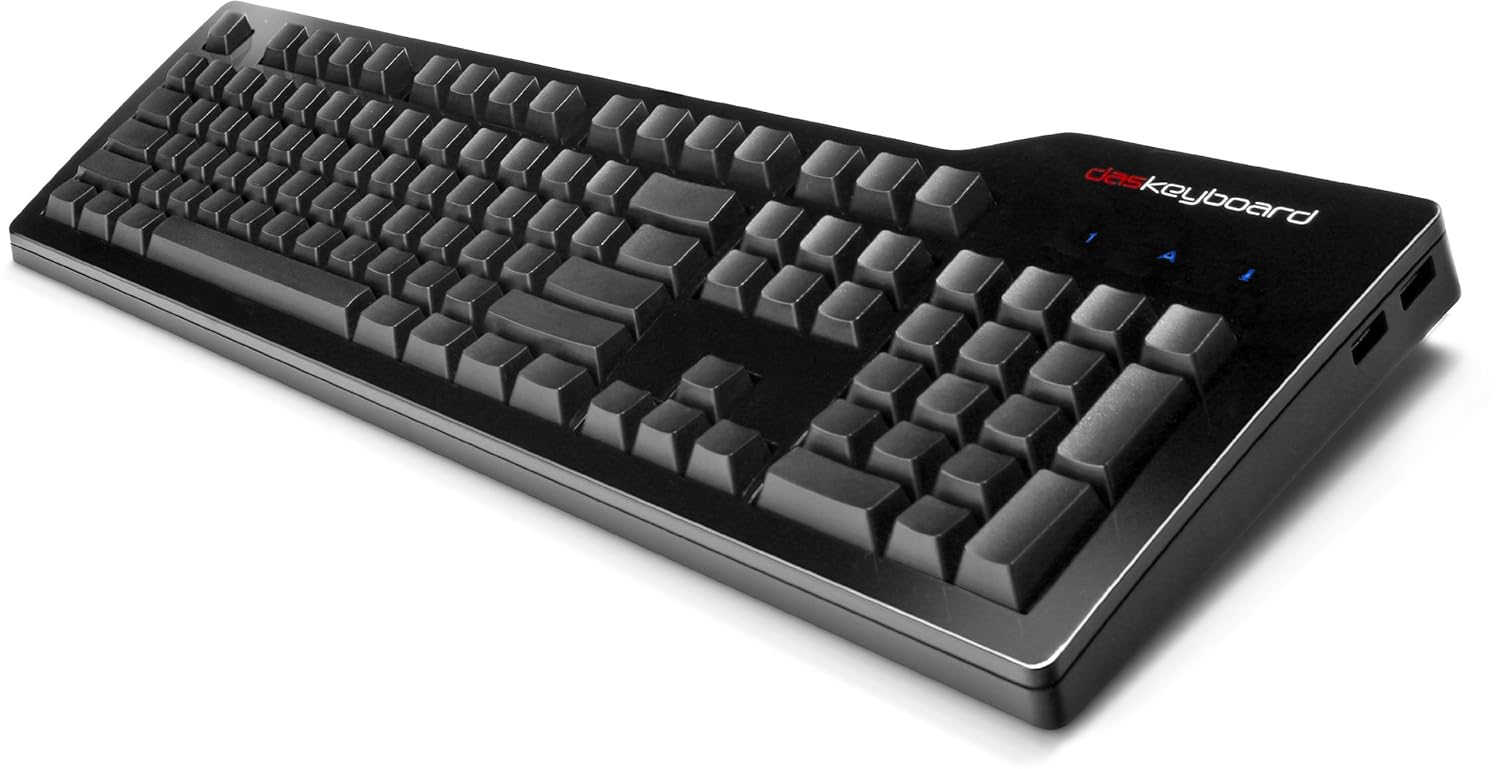
Just what we need. Computer peripherals slaved to some external cloud server. You have a computer right there, able to store stuff. Run programs, even. You don't want to be tied to some here-today, gone-tomorrow service. Also, how do you know it isn't sending your keystrokes somewhere?
An API would make more sense. Programs which change the meaning of keys as you change mode should be able to change the keyboard. Think Blender, with 10 pages of keyboard cheat sheet.
Also, it says "Pre-order. Available Q4 2016." Well, it's Q4 2016. Is it shipping?
How do they send power over "braided fiber"? Whatever that is.
As a hardware device, it may be perfectly reasonable. Ship the product, get some popular programs with too many function keys to talk to it, get the price below $100, lose the ego trip over how cool you are, and dump the "cloud" thing.